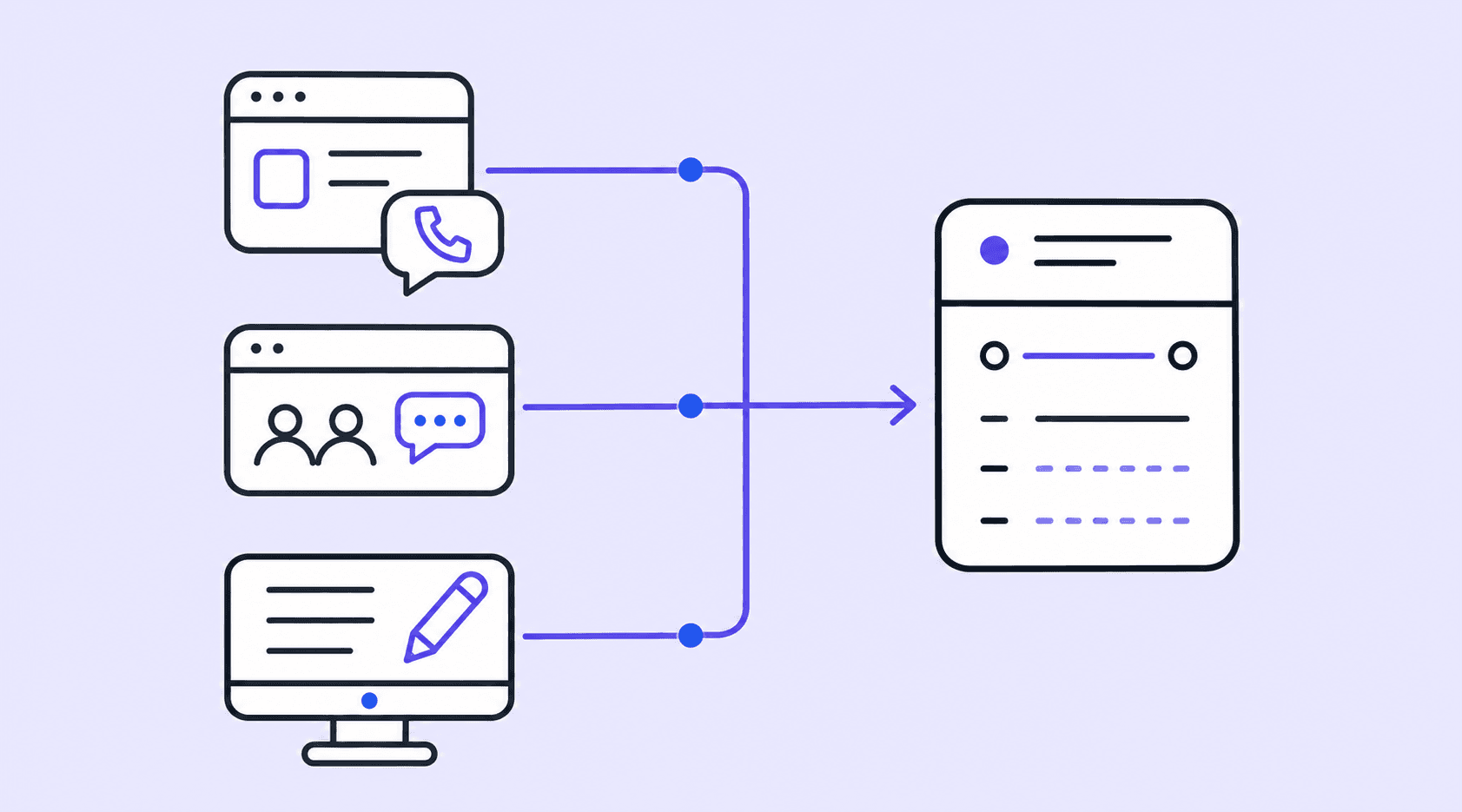
Direct customers: Book on your website or through an automated WhatsApp agent with human supervision.
Booking partners: Travel agencies, hotels and referral partners: submit bookings through their portal or WhatsApp.
Your team: Enters bookings manually in the dashboard.
Direct sales, partners and your team, in one place.02
Prepare each transfer.
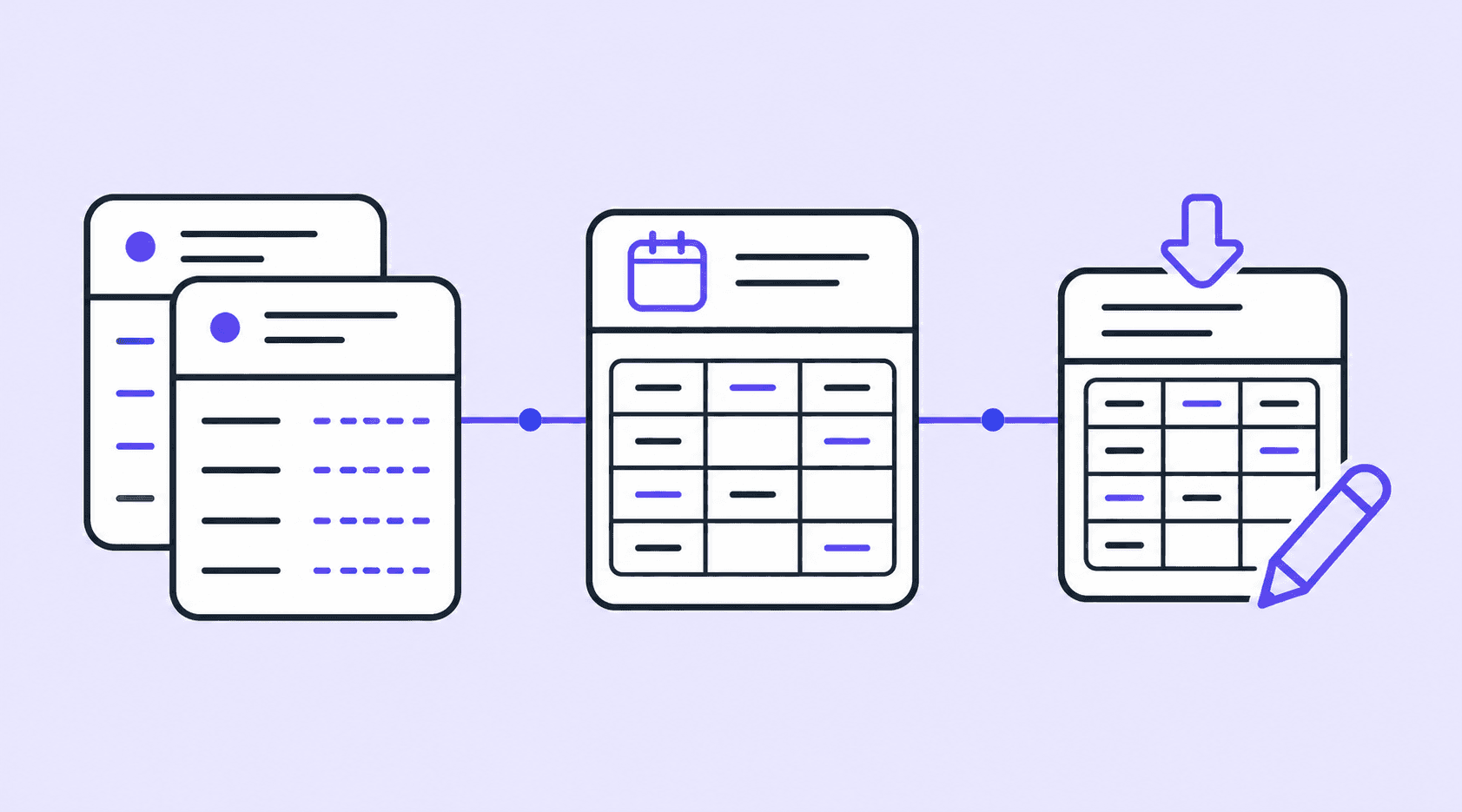
Review the details and organize each leg in the calendar. Automatic confirmation and reminder emails follow the booking’s status. For manual bookings, your team decides when to send them.
Review the details and organize each leg in the calendar. Automatic confirmation and reminder emails follow the booking’s status. For manual bookings, your team decides when to send them.
Emails with service details and instructions.03
Coordinate pickup and the transfer.
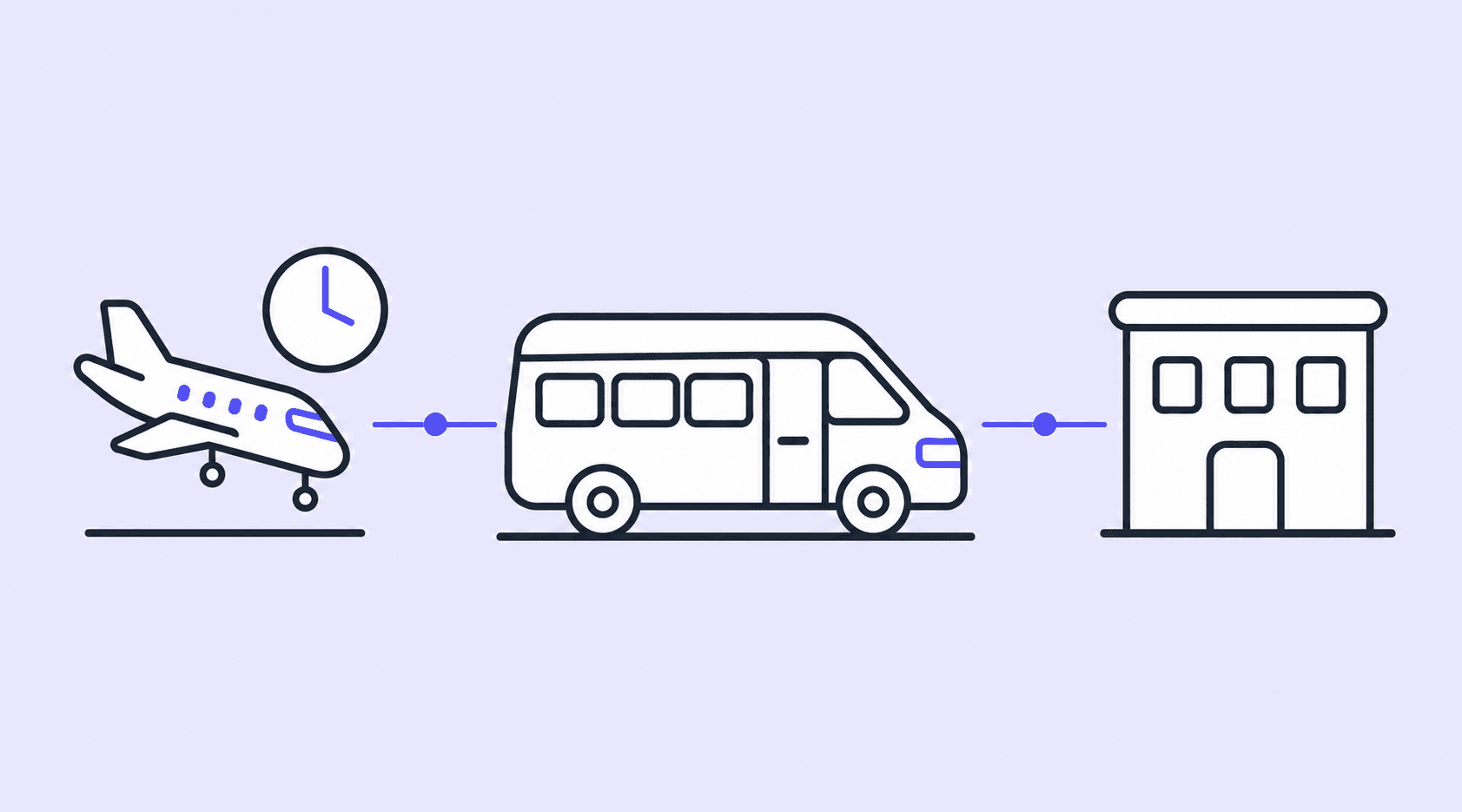
Bookatia automatically checks the flight’s landing time. Your team coordinates the meeting point, welcome and pickup, then carries out the transfer to the hotel or Airbnb.
Bookatia automatically checks the flight’s landing time. Your team coordinates the meeting point, welcome and pickup, then carries out the transfer to the hotel or Airbnb.
From meeting the passenger to arrival at their accommodation.04
Reports to reconcile your payments.
Review services, payments and outstanding balances by date. Export to XLS to check and reconcile your records.
Review services, payments and outstanding balances by date. Export to XLS to check and reconcile your records.
Reports by date to review your accounts.
Your whole team works with the same information.
From bookings to reports: your booking partners submit requests, your team coordinates and you stay in control of the operation.
Booking partners and commissions
Take bookings from travel agencies, hotels and referral partners.
Your booking partners create bookings, save incomplete requests and view their own transfers through their portal or the WhatsApp agent. Your team coordinates the operation.
If details are missing, the partner saves a pre-booking and completes it later in its portal.
The WhatsApp agent recognizes authorized numbers. Your team manages bookings and records when services are completed.
Set commissions and export statements to review payments outside Bookatia.
View details↓
If details are missing, the partner saves a pre-booking and completes it later in its portal.
The WhatsApp agent recognizes authorized numbers. Your team manages bookings and records when services are completed.
Set commissions and export statements to review payments outside Bookatia.
Operations and reports
Reports by date, using your booking details.
Coordinate each leg and review services, payments and outstanding balances by date. Check your accounts using booking details, without building every report from scratch in Excel.
Check the calendar on mobile or desktop and follow each service’s status.
Filter and export XLS reports to review dates, amounts and balances.
Coordinate with your team using staff permissions and a history of changes.
View details↓
Check the calendar on mobile or desktop and follow each service’s status.
Filter and export XLS reports to review dates, amounts and balances.
Coordinate with your team using staff permissions and a history of changes.
Rates and coverage
Quotes that follow your business rules.
Define where you operate, which services you offer and what you charge. Bookatia applies your rates, capacity, surcharges, discounts and extras to each quote.
Set up coverage areas on a map, rates and connections between accommodations.
Control booking lead times, availability blocks, coupons and extras.
Test itineraries before creating bookings and review internal requests for connections you do not yet offer.
Rates and coverageQuotes that follow your business rules.
Define where you operate, which services you offer and what you charge. Bookatia applies your rates, capacity, surcharges, discounts and extras to each quote.
Set up coverage areas on a map, rates and connections between accommodations.
Control booking lead times, availability blocks, coupons and extras.
Test itineraries before creating bookings and review internal requests for connections you do not yet offer.
Payments
Payments to your account. Balances in view.
Connect your company's Stripe account to receive passenger payments. Keep the booked total, payments received and outstanding balance clearly separated.
Offer full payment, deposits or book-now-pay-later options to suit your operation.
Share payment links and record cash payments.
Quote and charge passengers in MXN, USD and CAD, using the exchange rates you set.
PaymentsPayments to your account. Balances in view.
Connect your company's Stripe account to receive passenger payments. Keep the booked total, payments received and outstanding balance clearly separated.
Offer full payment, deposits or book-now-pay-later options to suit your operation.
Share payment links and record cash payments.
Quote and charge passengers in MXN, USD and CAD, using the exchange rates you set.
Communication
Keep passengers informed under your brand.
Send confirmations, payment notices and email reminders in Spanish and English. Passengers can view their booking through a secure link, without creating an account.
Customize email templates with your details and support channels.
Resend messages and share payment links from each booking.
Receive internal alerts for new bookings and payments in Telegram.
CommunicationKeep passengers informed under your brand.
Send confirmations, payment notices and email reminders in Spanish and English. Passengers can view their booking through a secure link, without creating an account.
Customize email templates with your details and support channels.
Resend messages and share payment links from each booking.
Receive internal alerts for new bookings and payments in Telegram.
Take direct bookings on your own website.
Add a sales channel alongside your booking partners. Embed Bookatia’s booking form so passengers can get quotes and book in Spanish or English, without creating an account.
Offer one-way and round-trip journeys between airports, hotels and accommodations.
Show your service categories and calculate the vehicles needed for each group.
Collect flight details, locations, times and passenger instructions with the booking.
Bookatia is for tourist transport companies operating between airports, hotels and accommodations. It brings together bookings, payments, reports, coordination and passenger communication. Work with your partners and take direct bookings from your own website.
What can each partner do?+
Your booking partners —travel agencies, hotels and referral partners— can use their portal or the WhatsApp agent to create bookings, save pre-bookings and view their own transfers. The agent recognizes authorized phone numbers and handles questions related to that partner’s operations. A pre-booking can start with a passenger, origin, destination and passenger count, with the remaining details added later. Your team manages complete bookings and their completion.
How are partner commissions managed?+
Set a percentage per partner and fixed exceptions by route and service. The commission is recorded when the complete booking is created and becomes earned when your team marks it complete. The administrator views and exports the commission report; commission payments, transfers and reconciliation are handled outside Bookatia.
Do I need to replace my website?+
Keep your website and add the booking widget to your authorized domains. Passengers can get a quote and book without creating an account, using your company's services and terms.
What is available in Spanish and English?+
The booking widget and passenger emails are available in Spanish and English. The administration dashboard is in Spanish.
Where do I receive passenger payments?+
Online payments go to the Stripe account your company connects. You can offer full payment, deposits or later payment, and record cash payments. Your Bookatia subscription is billed separately in MXN.
How is plan usage counted?+
Usage is counted by completed service. The base plan includes 100 transfers; you can view usage, additional blocks and the accumulated subscription amount in the dashboard.
How are changes, cancellations and refunds handled?+
Your team can update bookings and review cancellation requests with a record of actions. For a round trip, one leg can be canceled while keeping the other. Refunds are issued directly in Stripe and recorded separately in Bookatia.
How do I communicate with passengers?+
Bookatia supports confirmation, payment, reminder and cancellation emails, as well as resending messages from the booking. Your team coordinates changes directly with passengers by email or WhatsApp. Internal alerts for new bookings and payments arrive through Telegram.
Meet Bookatia
See how Bookatia fits your operation.
See how you take bookings from your different channels, how your team prepares and coordinates transfers, and where it reviews payments and reports. Contact us by WhatsApp or email.